Your own assistant, in the menu under your name, connects Claude, ChatGPT and other assistant apps to your show office.
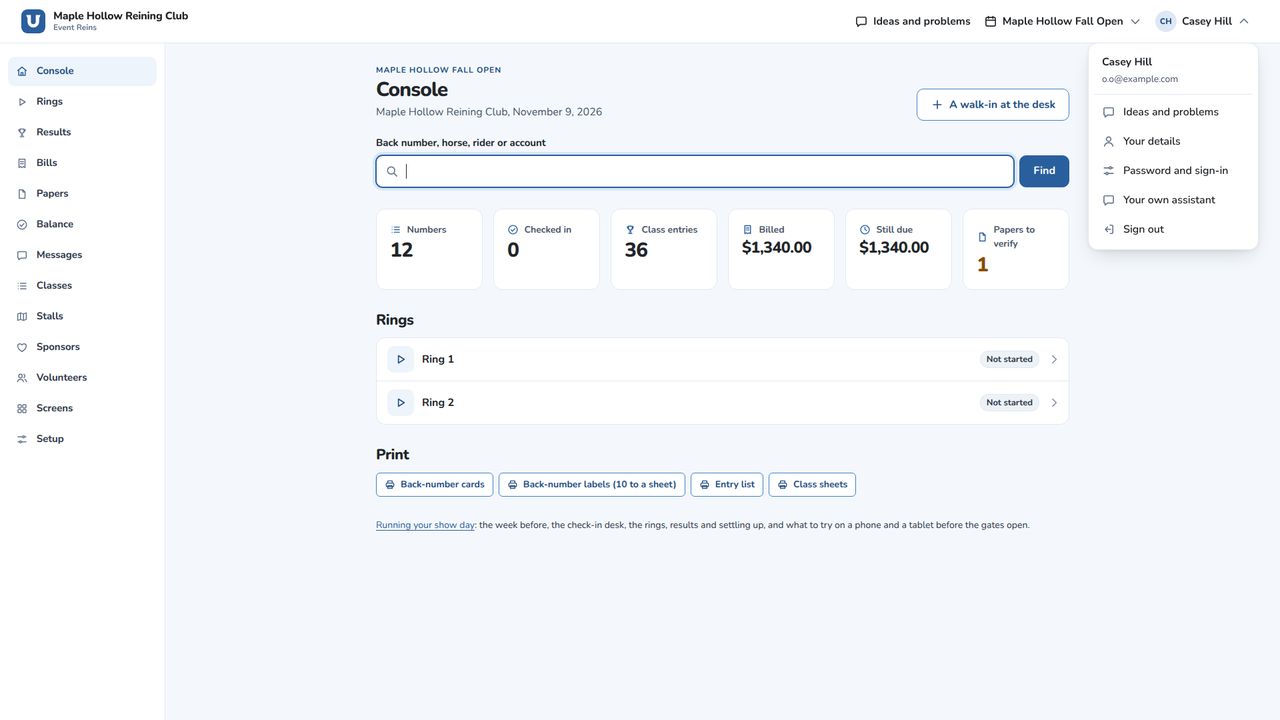
1. Agree first
At a show office, a manager agrees first, for everyone at your organization: choose I agree, for your organization's name. Exhibitors and parents agree for themselves with I agree.
Read the page before you agree. What you ask for, and what the assistant reads here to answer you, goes to the company that makes that assistant, under its own terms. Event Reins keeps a record of every request.
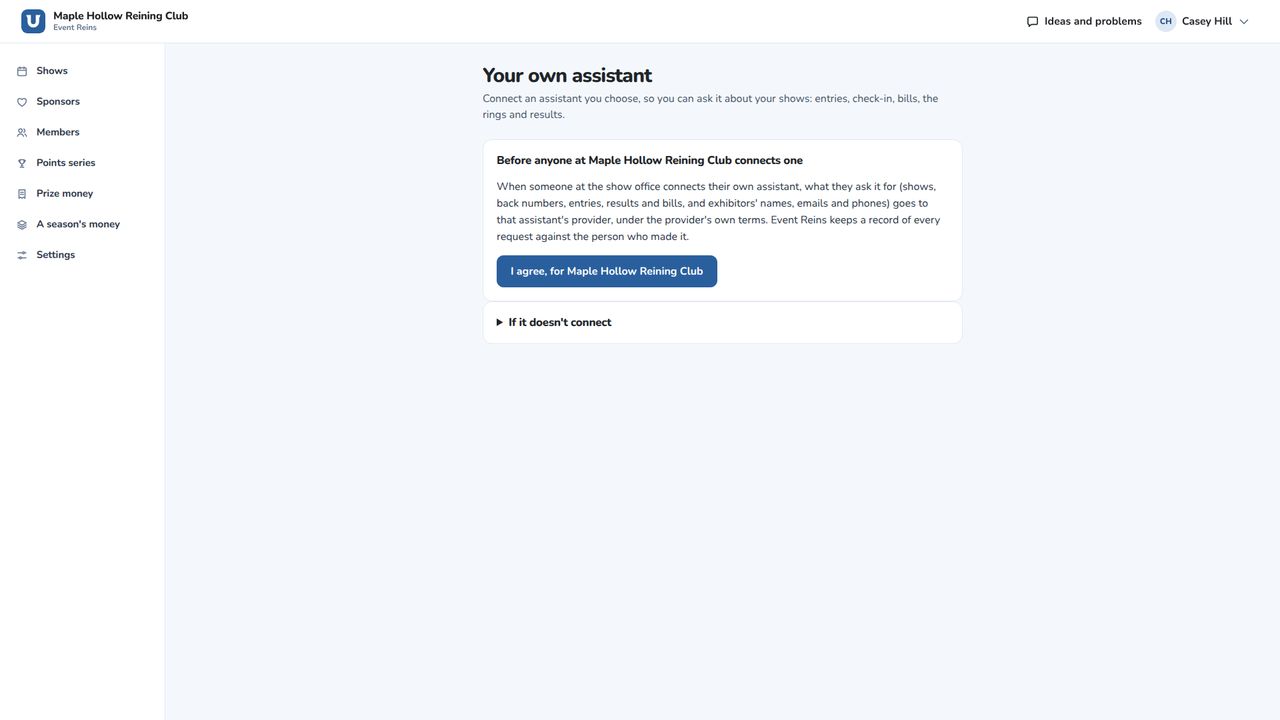
2. Connect an app
Most apps connect by signing in. Give them the address on the page, sign in to Event Reins, and choose Allow. For apps you set up with a key instead of signing in, use Make a key.
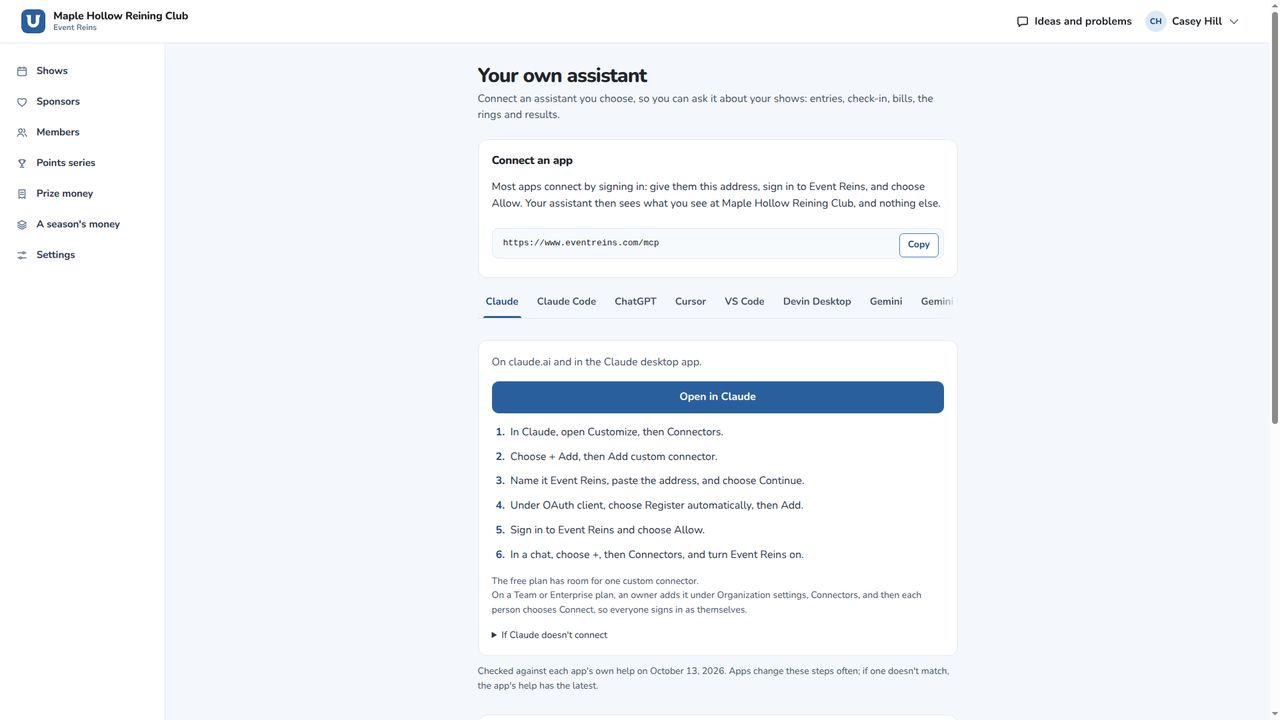
3. What it can do
Your assistant sees what you see at your organization, and nothing else. Exhibitors and parents can connect theirs to their own horses, entries and bills.
It can always read. Make changes and the other switches stay off until you turn them on, and you can change that later.
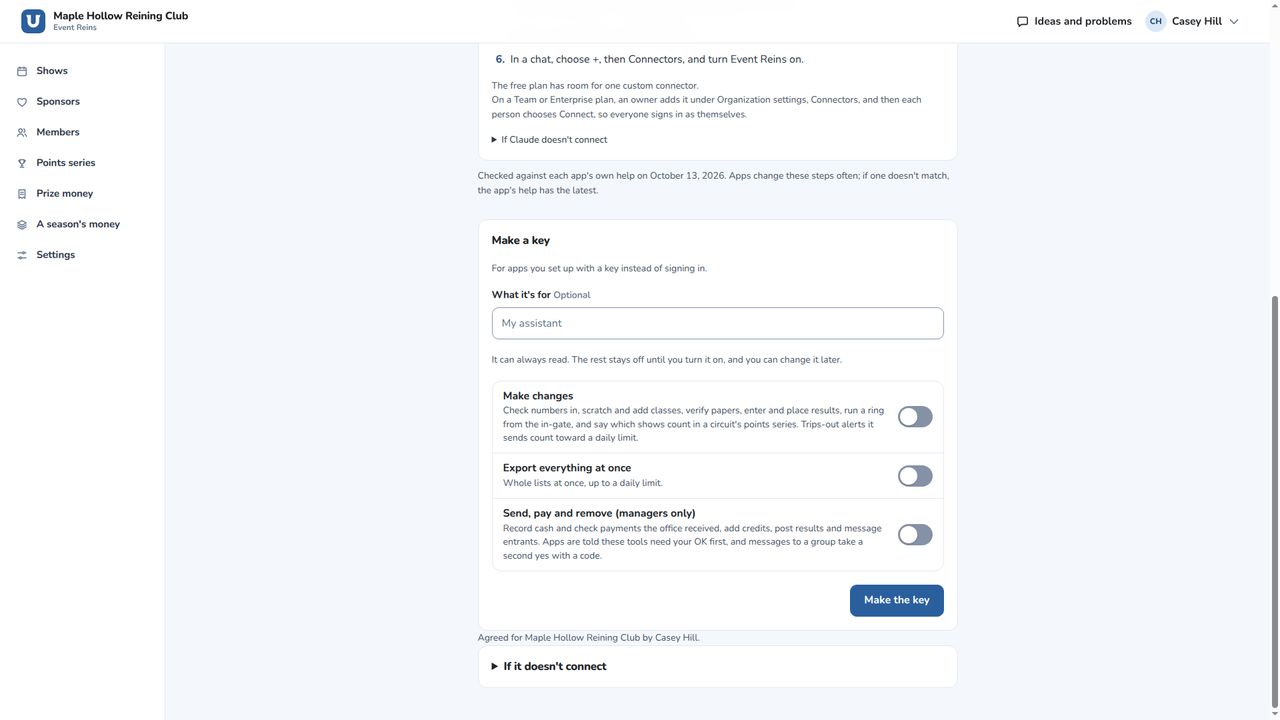
4. Disconnect
You can disconnect it any time under Your own assistant. Withdraw and disconnect ends your agreement: every assistant you've connected is disconnected at once, and your keys stop working. To use one again, you agree again first.
Questions? Email support@dewwow.com.
Still stuck? Email support@dewwow.com and a person answers.